The Complete Guide to Replacing Your LiteTouch System (2026)
LiteTouch lighting systems were discontinued in 2015 and are no longer supported — parts, keypads, and processor boards are increasingly unavailable. The most practical replacement is a modern wired automation platform like LOXONE, which can reuse most existing LiteTouch low-voltage wiring. Here’s everything you need to know about the replacement process, costs, and options.
If you’re reading this, you probably already know something is wrong. A keypad stopped responding. A dimmer flickers. Your installer says the part doesn’t exist anymore. You’re not alone — thousands of homes across Houston and the rest of the country were built with LiteTouch systems, and every one of them is now running on borrowed time.
This guide is the transactional anchor of a larger LiteTouch reference series — six companion articles covering the system’s history, how the hardware works, diagnostics, and a full comparison against LOXONE. Where it’s useful, we link out to the deeper piece rather than repeating it here.
What Happened to LiteTouch?
LiteTouch was a centralized lighting control system popular in custom homes from the late 1990s through the early 2010s, using low-voltage wiring to connect wall keypads to a central control panel for whole-home dimming, scene control, and scheduling. Nortek acquired the company in 2007; Savant Systems acquired the product line in 2012 and discontinued it entirely in 2015 — no new hardware, no firmware updates, no replacement parts.
Today, LiteTouch is a dead platform. Existing parts inventory has dried up, third-party repair options are limited, and every system still running is one component failure away from partial or total loss of lighting control. Other centralized lighting systems from the same era — including Touche and the Lutron GRAFIK Eye series — are in the identical position.
For the full timeline — the Nortek years, why Savant walked away, and what it means for owners today — see What Happened to LiteTouch? The Full History.
What Are the Components in a LiteTouch System?
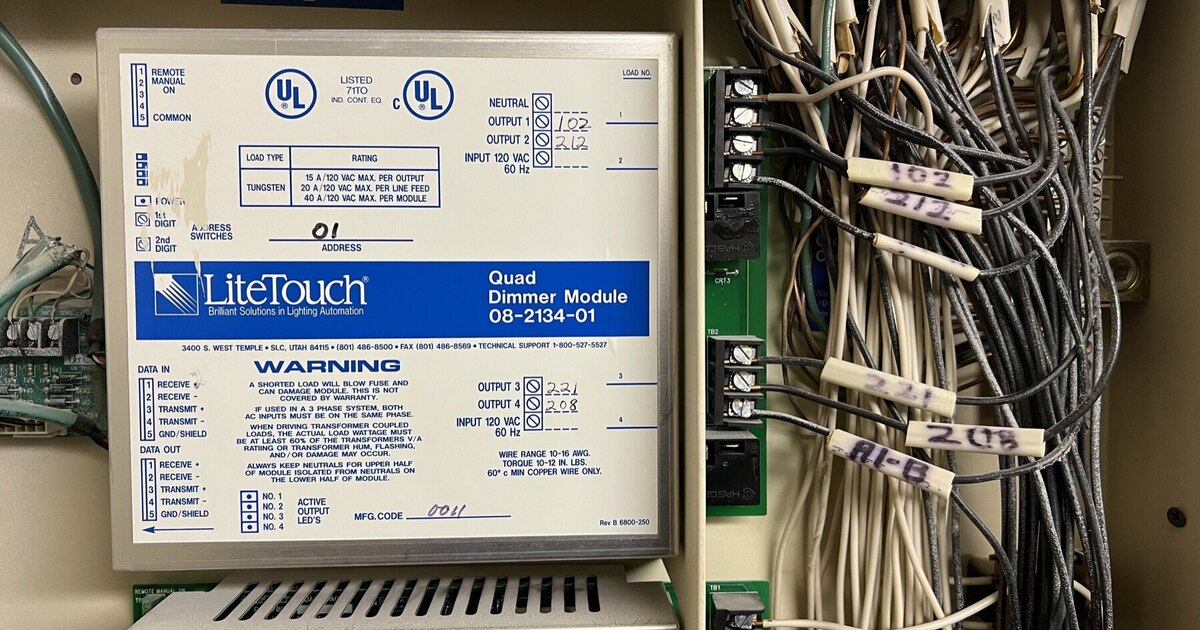
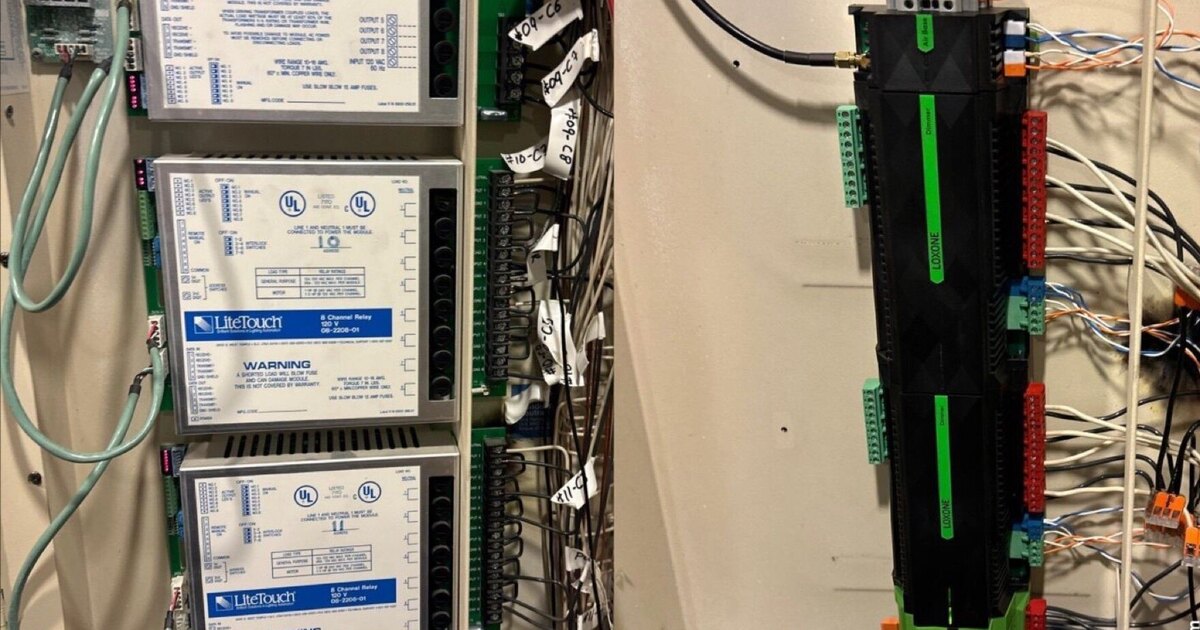
Every LiteTouch installation is built around the same core hardware: a Central Control Unit (CCU) that acts as the system’s brain, dimmer and relay modules that do the actual load switching, and wall-mounted keypads (1 to 9 buttons) that send commands back to the panel over low-voltage wiring. Larger installations may also include fan speed controllers and data input modules for integrating security panels or sensors. For the full technical breakdown — wiring types, the LiteWare programming software, and how each piece talks to the others — see How Does LiteTouch Work?
What Fails First?
In our experience servicing and replacing LiteTouch systems in Houston:
- Keypads — LED backlights die, buttons become unresponsive, communication drops
- Dimmer modules — Channels stop responding or produce flickering output
- CCU — When this goes, everything goes
- Relay modules — Generally the most reliable component
The pattern matters because a single keypad failure is often the first domino. By the time you notice one keypad issue, other components are aging at the same rate. If you’re trying to diagnose a specific fault right now — a solid “8” on the CCU display, one dead keypad button, or a light that won’t respond to anything — our troubleshooting guide walks the actual isolation tests step by step, before you decide whether it’s a repair or a replacement.
How Do You Assess Your LiteTouch System Before Replacing It?
Before any replacement project, you need a clear picture of what you’re working with. Here’s what to inventory:
Count your panels and modules. Open your LiteTouch enclosure (usually in a utility closet, garage, or media room) and count the number of dimmer modules, relay modules, and any specialty modules. Each module represents a set of circuits that need to be controlled by the new system.
Count your switches and keypads. Walk the house and count every LiteTouch keypad. Note the number of buttons on each — this tells us how many scenes or zones are controlled from each location. A typical 4,000 sq ft Houston home might have 15-30 keypads.
Identify your wiring type. LiteTouch systems used low-voltage wiring from keypads to the central panel. The two common types are:
- 3-wire (common in older installations): Signal, common, and ground. Works with LOXONE Tree technology in most cases.
- 4-wire (more common in later installations): Adds a power conductor. Ideal for LOXONE Tree — no additional wiring needed.
Check wiring condition. Age, rodent damage, and poor original installation can compromise wiring. During our assessment, we test continuity and insulation on each run. In the vast majority of Houston-area homes we’ve assessed, the wiring is in good condition and fully reusable.
Document your zones and scenes. Note which keypads control which lights and what scenes are programmed. This information guides the new system design and ensures you don’t lose functionality you rely on daily.
If this sounds like a lot, don’t worry — Grizzly Tec handles the entire assessment during a site visit. We document everything and provide a detailed report before any work begins. If you’d rather show up prepared, our companion checklist on what to gather before your LiteTouch replacement quote covers exactly what to find, photograph, and note ahead of time.
What Are Your Replacement Options?
You have several paths forward. Here’s an honest comparison of the leading professional platforms that can replace a LiteTouch system:
| Feature | LOXONE | Lutron HomeWorks | Vantage InFusion | Crestron |
|---|---|---|---|---|
| LiteTouch wiring compatible | Yes (Tree bus) | Yes (designed for it) | Partial | Partial |
| Homeowner admin access | Full access | Limited | Limited | None |
| Monthly/recurring fees | None | None | None | Possible |
| Programming changes | DIY or dealer | Dealer only | Dealer only | Dealer only |
| Beyond lighting | Full automation | Lighting + shades focused | Lighting + shades | Full automation |
| Cost range (typical home) | $8K-$30K (from $35K over 6,000 sq ft) | $15K-$60K | $15K-$50K | $20K-$70K |
| Local processing | Yes | Yes | Yes | Yes |
| Ownership model | You own everything | Dealer-dependent | Dealer-dependent | Dealer-dependent |
A note on Lutron HomeWorks: Lutron HomeWorks is a strong platform, and it’s fair to acknowledge that it was specifically designed to accommodate LiteTouch wiring. If your primary concern is lighting control and you want a proven luxury brand with excellent reliability, Lutron HomeWorks is a legitimate option. The tradeoffs are higher cost and dealer dependency for programming changes.
Vantage InFusion offers elegant keypads and good lighting control but is less versatile for whole-home automation and has a smaller dealer network — and owners of legacy Vantage Q-Series systems face their own end-of-support situation.
Crestron is powerful but complex, expensive, and entirely dealer-dependent. It’s typically overkill for a LiteTouch replacement unless you’re building a commercial-grade media or conference room.
For a deeper side-by-side of LOXONE against LiteTouch specifically — functionality, customization, interface, reliability, and cost of ownership over time — see our full LOXONE vs. LiteTouch comparison.
Why Is LOXONE the Best LiteTouch Replacement?
We install LOXONE — so take this section with appropriate context. That said, here’s why we chose LOXONE as our platform after evaluating every major option:
Tree bus technology reuses LiteTouch wiring. LOXONE’s Tree bus communication protocol runs on the same low-voltage wiring that LiteTouch systems use. In most homes, we connect LOXONE Tree devices to existing wire runs without pulling a single new cable. This dramatically reduces installation time and cost. For the specifics of what gets reused, what gets swapped, and where the real work happens, see how much of a LiteTouch system actually gets reused
Full ownership with admin access. When we hand over your LOXONE system, you get the admin password. Period. You can open LOXONE Config and make changes yourself — rename rooms, adjust scenes, add schedules. You can also hire any LOXONE partner to service your system. There is no dealer lock-in.
It goes far beyond lighting. LiteTouch was a lighting system. LOXONE is a full automation platform. From day one, your lighting replacement can also control:
- Climate (thermostats, zone dampers, humidity)
- Audio (multi-room music, intercom, doorbell integration)
- Motorized shades and blinds
- Security sensors and cameras
- Access control (smart locks, gate controllers)
- Pool and spa equipment
- Irrigation
You don’t have to add all of this on day one — but the infrastructure is there when you’re ready.
No monthly fees. Ever. LOXONE core automation runs locally on the Miniserver in your home. There is no cloud subscription, no recurring license, no “premium tier” to unlock features. You buy the system, you own the system.
Over 300,000 active installations worldwide. LOXONE is not a startup or a niche product. It’s a mature platform with active R&D, annual product releases, and a growing global network of certified partners. Grizzly Tec is a LOXONE Partner since 2015 and a Platinum Partner today serving the greater Houston area.
What Does the Replacement Process Look Like?
We’ve refined our LiteTouch-to-LOXONE process across LiteTouch replacements in Houston, Dallas and Louisiana, plus rescues of jobs started by others in Alabama, Dallas and Houston. Here’s what to expect:
Step 1: Assessment (1-2 hours on-site)
We visit your home, open the LiteTouch panel, and document every module, circuit, keypad, and wire run. We test wiring condition and identify any areas that may need new cable. You walk us through your daily routines so we understand which scenes and controls matter most.
Step 2: Design
We create a detailed system design — what LOXONE hardware is needed, where new keypads or touch panels will go, and how the system will be programmed. You receive a proposal with costs, a timeline, and a clear scope of work.
Step 3: Install (3-5 days typical)
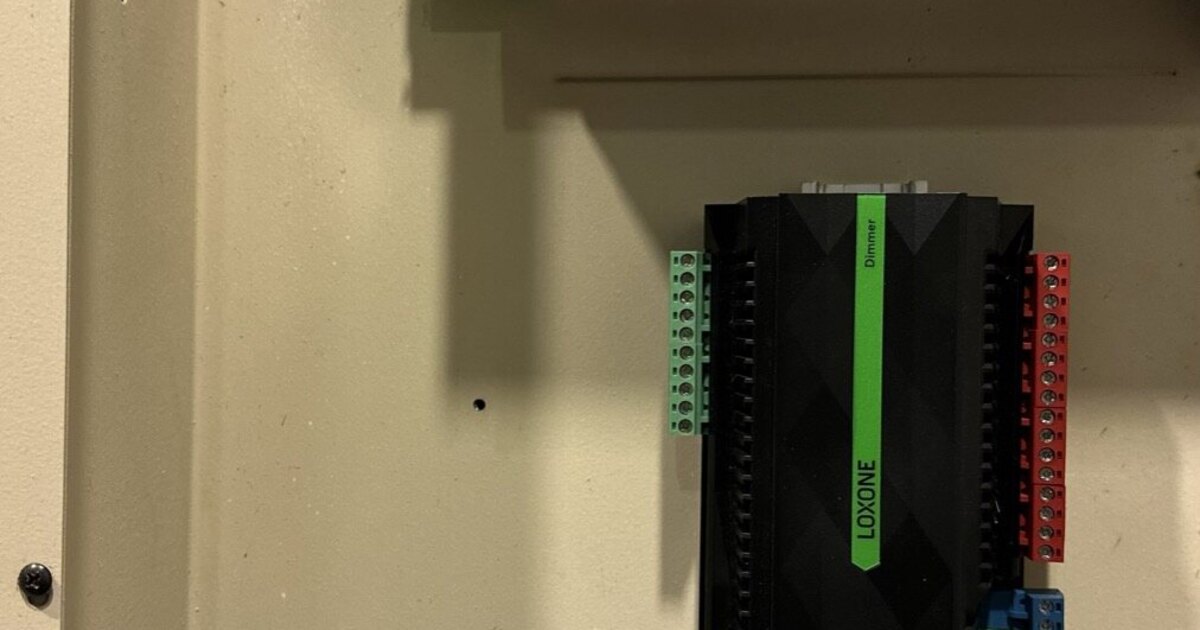
We remove the LiteTouch equipment from the central panel and install LOXONE Miniserver, Tree Extensions, dimmers, and relay modules. At each keypad location, we replace the LiteTouch keypad with a LOXONE Touch or LOXONE Keypad. Depending on your wiring, we may be able to phase the work by zone, with lighting controlled from the LOXONE app while keypads are being connected.
Step 4: Program & Commission (1-2 days)
With hardware installed, we program scenes, schedules, and integrations. We test every circuit, every keypad button, and every scene. We verify dimming curves work correctly with your specific fixtures and bulbs.
Step 5: Train & Handoff
We sit down with you and walk through the LOXONE app — how to control your home, how to adjust scenes, how to use scheduling. We hand over the admin credentials and make sure you’re comfortable. Every system we install also comes with a plain-English manual (we build them with LoxManuals) and optional AI-powered support through LoxPilot.
Retrofit projects typically take 3–5 days, or 1–2 weeks for large homes. New construction follows the build schedule.
How Much Does It Cost to Replace a LiteTouch System?
This is the question everyone asks first, and the honest answer is: it depends on your home. But here are the factors and ranges to help you plan.
Calculate Your LiteTouch Replacement Cost
Get an instant estimate based on your keypads, circuits, home size, and add-ons.
Try the Free Calculator →Cost Factors
Number of lighting circuits. More circuits mean more LOXONE dimmer channels. A home with 30 circuits is different from one with 120.
Number of keypad locations. Each LiteTouch keypad location gets a LOXONE replacement. LOXONE offers keypads at different price points — from simple rockers to full-color touch panels.
Wiring condition and compatibility. If your existing LiteTouch wiring is in good condition (and it usually is), the cost is lower. If sections need new cable, that adds labor.
Scope beyond lighting. Replacing LiteTouch with LOXONE for lighting only is the baseline. Adding climate, audio, shading, or security increases the project scope and cost.
Home size and complexity. A 3,000 sq ft home with 25 circuits and 15 keypads is a different project than a 10,000 sq ft estate with 80 circuits, motorized shades, and a pool.
Typical Ranges
- Under 2,500 sq ft: $8,000 - $12,000
- 2,500-4,000 sq ft: $14,000 - $20,000
- 4,000-6,000 sq ft: $20,000 - $30,000
- Over 6,000 sq ft: from $35,000 (most large estates $50,000 - $120,000+)
Important: Hardware is one part of the equation. Professional installation and programming typically adds 40-60% on top of equipment cost. This covers labor, electrical work, programming, commissioning, and training. Any quote that lists only hardware cost is leaving out the majority of the project.
For a detailed breakdown of smart home costs in the Houston market, see our Smart Home Cost Guide for Houston (2026).
Will My LED Lights Flicker After a LiteTouch Replacement?
Grizzly Tec addresses flicker directly as part of a LiteTouch replacement: fixture drivers get updated only where they’re incompatible with modern LED dimming, which is the most common reason an older lighting system flickers or won’t dim smoothly. Not every fixture needs this — plenty of existing LED fixtures already dim cleanly on a modern control system.
During the assessment, an installer checks which of your existing fixtures and drivers are compatible with LOXONE’s dimming outputs and flags the ones that aren’t, so driver updates are scoped to what actually needs it rather than applied across the board.
Making the Decision
If your LiteTouch system is still running, you have a window to plan a controlled migration on your schedule — rather than scrambling when a critical component fails. The replacement parts market will only get worse from here.
We’ve done LiteTouch-to-LOXONE replacements in Houston, Dallas and Louisiana, plus rescues of jobs started by others in Alabama, Dallas and Houston.
Here’s what we recommend:
- Book the $450 Diagnostic. We’ll evaluate your system and give you a clear picture of its condition and your options. The $450 is 100% credited to the project.
- Get a detailed proposal. No pressure, no obligation. You’ll know exactly what the project involves and what it costs.
- Decide on your timeline. Some clients move forward immediately; others plan for a few months out. Either way, you’ll have a plan.
Ready to Replace Your LiteTouch System?
Book the $450 Diagnostic — We’ll evaluate your system and provide a detailed replacement proposal.
Or book directly: Book a Consultation
Related Reading
- The LiteTouch Guide — The full six-part reference series: history, how it works, troubleshooting, preparation, and a full LOXONE comparison
- Why LOXONE? — Learn more about the LOXONE platform and Grizzly Tec’s LOXONE Partner status
- LOXONE vs the Competition — How LOXONE compares to other smart home platforms
- Smart Home System Comparison (2026) — LOXONE vs Savant vs Control4 in detail
- Smart Home Cost Guide for Houston (2026) — What smart home automation costs in the Houston market
Ready to discuss your smart home project?
Book a free consultation — we'll discuss your goals and outline options.
Book a Free ConsultationShare this article

Founder & Mechatronics Engineer
Daniel Lopez founded Grizzly Tec in 2012 and has designed and installed 1,000+ projects (audio, video, networking, security and automation), including 50+ LOXONE projects. A mechatronics engineer by training, he holds a Texas security license (B-29733501) and has been a LOXONE Partner since 2015 and a Platinum Partner today.