LiteTouch to LOXONE: How Much of Your System Gets Reused?
Looking to replace your LiteTouch system? See our LiteTouch Replacement Guide for a complete overview of the upgrade process, costs, and what to expect.
“How much of my house has to get torn open?” is usually the first question homeowners ask once they’ve accepted that a LiteTouch replacement is coming. It’s a fair question — LiteTouch was a wired, panelized system, and the idea of ripping out wired infrastructure and starting over is enough to make anyone stall on a decision they should be making anyway.
Here’s the actual answer: less than you’d think, for a structural reason that’s worth understanding before you get quotes. LiteTouch and LOXONE are both wired, panel-based control systems. That shared architecture — not marketing, not brand loyalty — is what makes this specific transition more straightforward than replacing LiteTouch with a wireless or cloud-dependent alternative.
Same Kind of System, Different Brain
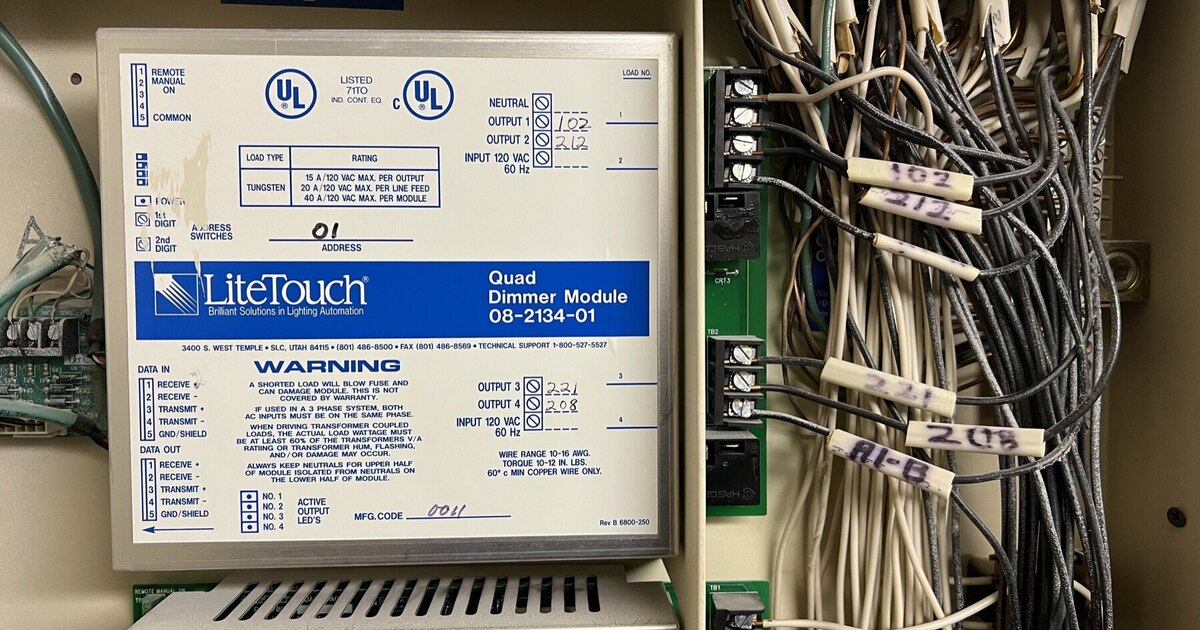
LiteTouch worked by running low-voltage control wiring from keypads to a central panel, where dimming, relay, and motor modules did the actual work of switching and dimming circuits. LOXONE works the same way: low-voltage wiring from keypads and sensors terminates at a central enclosure, where a Miniserver and connected extensions handle the switching.
That structural overlap means the two biggest, most disruptive components of any smart lighting installation — the low-voltage cable running through your walls to every keypad location, and the line-voltage load wiring running from your panel to your fixtures — are frequently reusable rather than rip-and-replace.
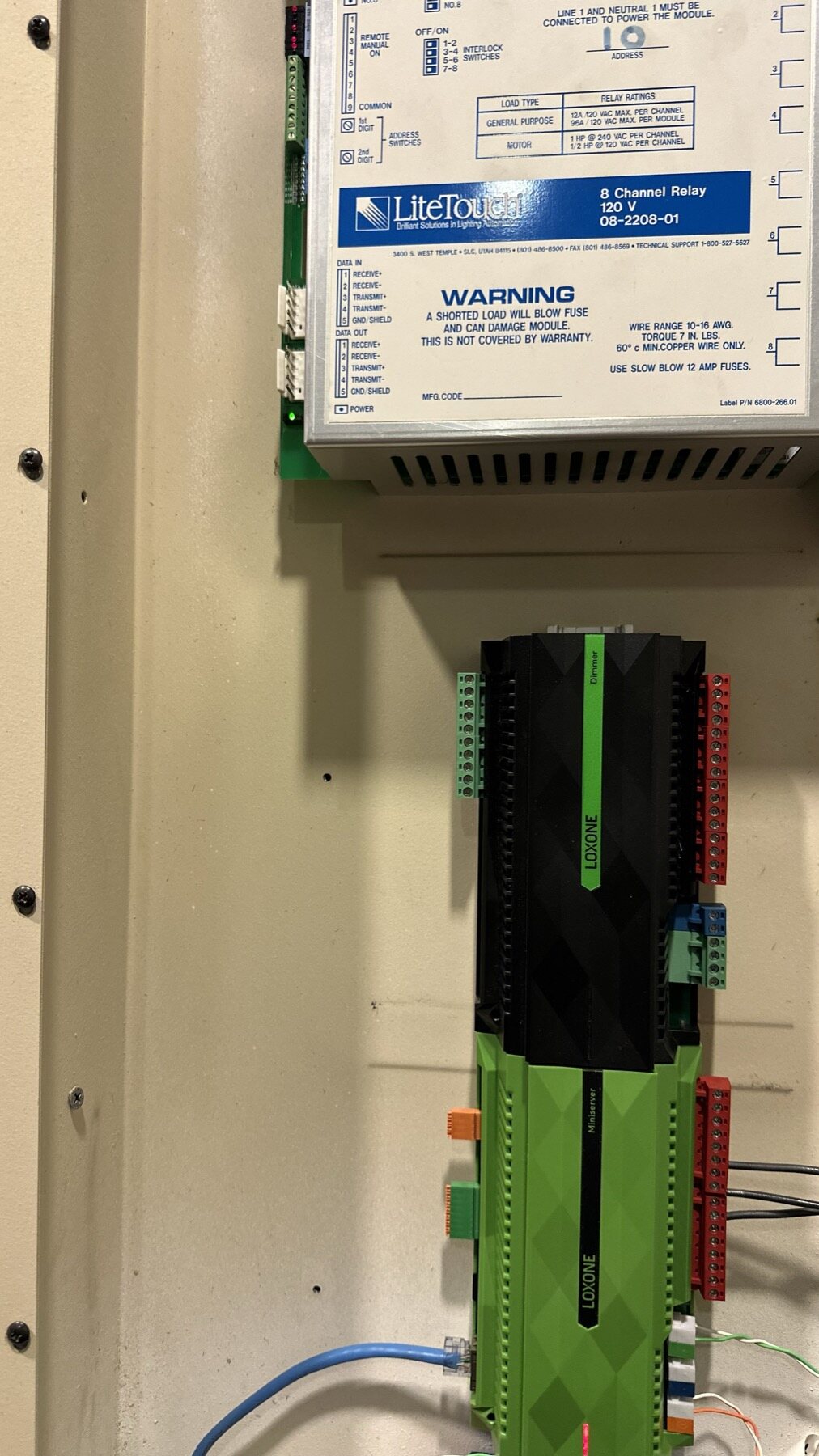
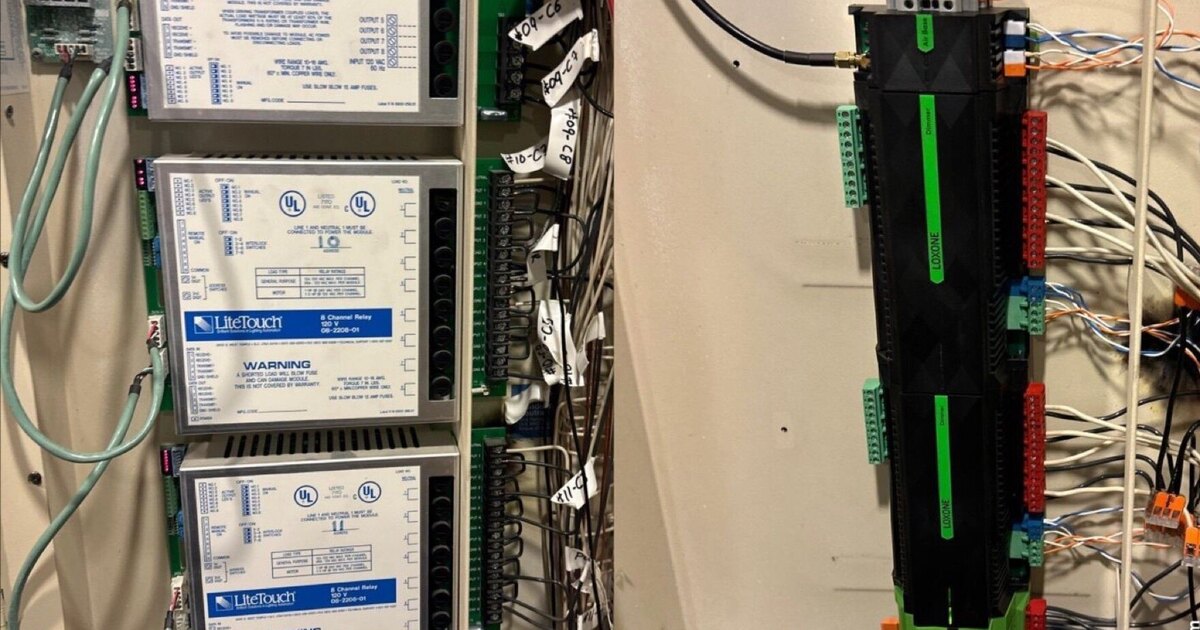
Mid-migration: the LiteTouch relay module is still in place above while the LOXONE Miniserver is already mounted below, sharing the same enclosure and the same conduit runs.
This doesn’t mean zero rewiring. It means the category of work shifts from “open every wall and pull new cable” to “verify existing cable, replace what fails inspection, terminate the rest into new hardware.” That’s a meaningfully smaller, less disruptive project.
What Actually Gets Reused
Low-voltage keypad wiring. Most LiteTouch keypad runs are 3-conductor cable — 4-conductor shows up in some installations and is the better practice, but 3-conductor is what we most commonly find. It’s typically untwisted and unshielded, which was standard when these systems were installed. During the assessment, each run gets tested for continuity, gauge, and condition. Runs that pass terminate directly into LOXONE hardware. Runs that don’t — because of damage, corrosion, or an undersized gauge for the distance involved — get flagged for replacement, which is localized to that specific run rather than the whole house.
Line-voltage load wiring. The 120V wiring running from your panel to your light fixtures, outlets, and motorized loads doesn’t change at all. LOXONE dimming and relay extensions terminate to the same field wiring your LiteTouch modules used.
Wall box locations. LiteTouch keypads and LOXONE Touch or Touch Pure switches both mount in standard wall boxes. In the large majority of cases, the same box works for the new device with no drywall repair.
Panel space. If your LiteTouch enclosure has adequate room and proper conditions, a LOXONE Miniserver and extensions frequently install in the same physical location, using much of the same conduit and cable entry points.
Conduit runs between panels. Homes with more than one LiteTouch enclosure often have conduit already run between them for inter-panel communication. Where that conduit has spare capacity, it’s frequently the easiest path for any new bus wiring the LOXONE side needs, instead of opening walls to create a new run from scratch.
How the Assessment Verifies All of This
None of the reuse described above is assumed — it’s tested. A proper LiteTouch-to-LOXONE assessment includes pulling a representative sample of keypads to inspect the wire gauge and conductor count behind them, checking continuity on runs that will carry new signal, and opening the panel to confirm module count, output count, and available space for the new hardware. This is also the point where an installer confirms whether your specific enclosure has room for a Miniserver and the extensions your circuit count requires, or whether a larger enclosure is needed.
Homeowners sometimes ask why this step can’t just be estimated from a photo or a phone call. It can be — roughly — but an estimate built only on what’s visible is only as good as what’s visible. Corrosion at a termination, a run that’s marginal for its length, or a panel that’s fuller than it looks in a photo are the kinds of things that turn an estimate into a change order mid-project if they aren’t caught upfront. This is why we test rather than guess.
What Gets Replaced
The modules themselves. LiteTouch dimming, relay, and motor modules are LiteTouch-proprietary — they only work with LiteTouch hardware, and Savant stopped supporting the line in 2015. These get physically removed and replaced with LOXONE extensions sized to match your circuit count and load types.
The central brain. The LiteTouch processor is replaced with a LOXONE Miniserver, which becomes the coordination point for lighting and, if you choose to expand later, shading, climate, and other systems on the same platform.
The keypads. LiteTouch keypads only communicate with LiteTouch hardware, so they come out. What replaces them is often fewer physical keypads than you started with — a single LOXONE Touch or Touch Pure switch can consolidate the functions of several LiteTouch keypads onto one wall plate, since it isn’t limited to lighting the way most LiteTouch keypads were. (If a keypad is unresponsive but you’re not yet sure whether that’s a keypad-level fault or something upstream, our troubleshooting guide has the isolation steps before you commit to a full swap.)
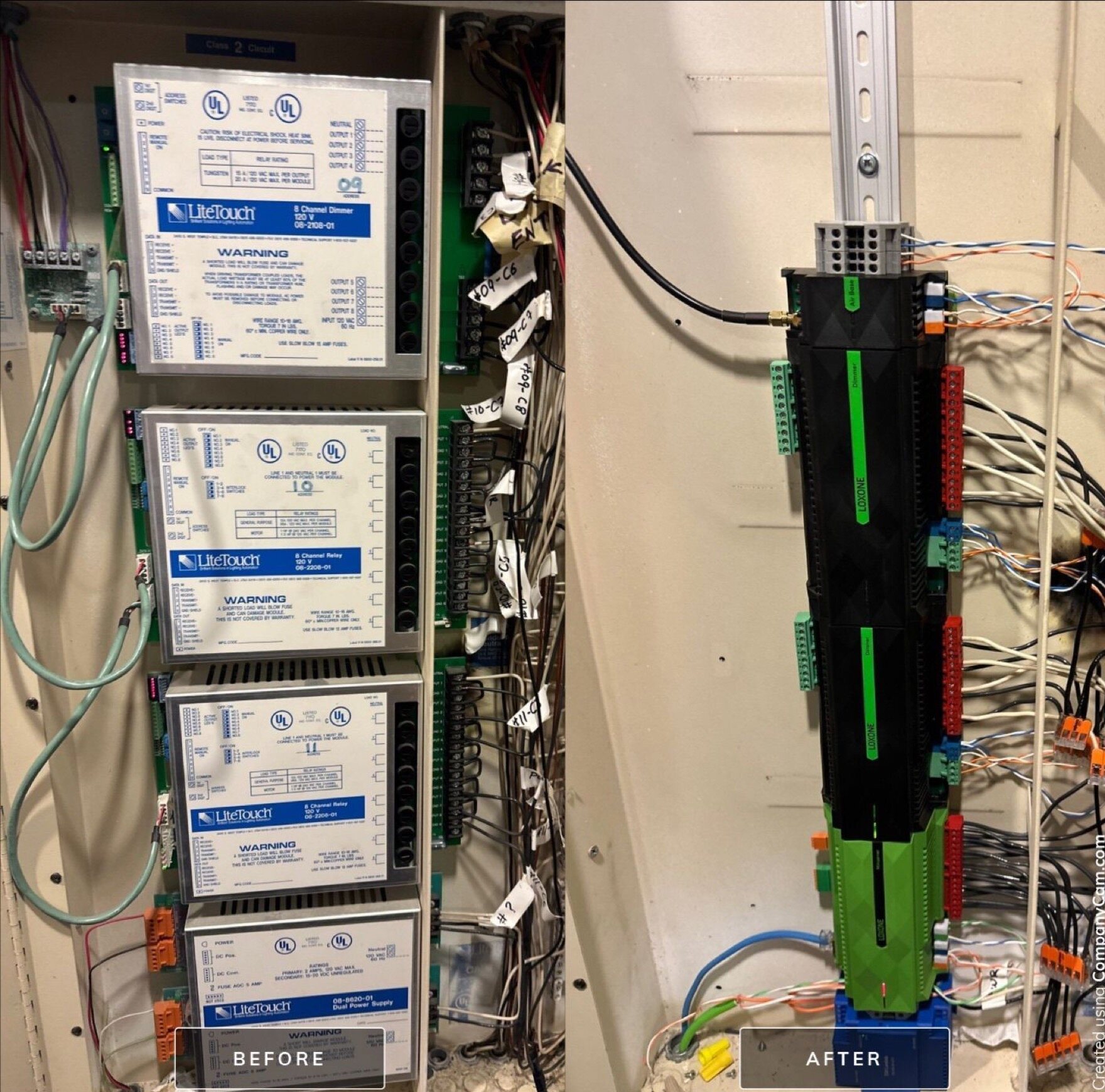
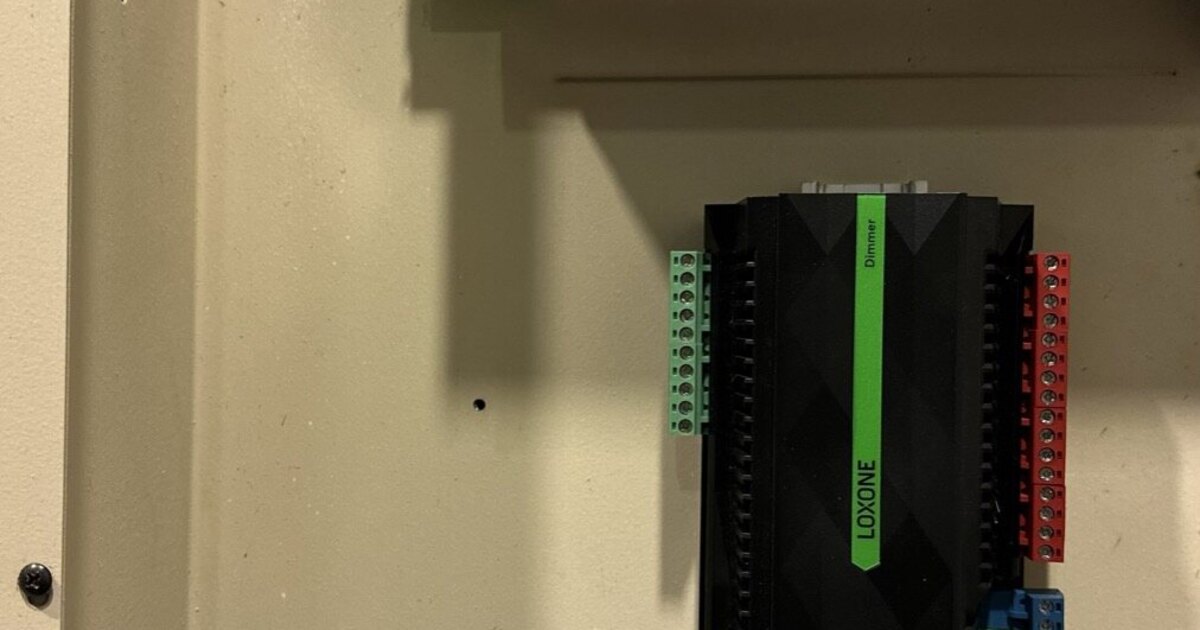
The same panel, before and after. The field wiring on the right-hand side never moved — only the equipment it terminates into.
Where the Real Work Happens
The honest answer to “how easy is this” depends on three things that vary home to home, and none of them can be answered without an on-site assessment:
- Wiring condition. Twenty-plus-year-old cable in good condition tests cleanly. Cable that’s been nicked during other renovations, exposed to moisture, or run at marginal gauge for its distance may need selective replacement.
- Documentation. If your enclosure schedule or panel photos exist, tracing circuits is fast. If they don’t, an installer has to physically trace every output before building the replacement plan — real work, done once, that pays off for the life of the new system. We cover exactly what to gather beforehand in what to prepare before a LiteTouch replacement quote.
- Scope of the upgrade. A straight lighting-for-lighting swap is the fastest path. Adding shading, climate, or audio integration during the same project — which the shared LOXONE platform makes easy to bolt on later, or now — adds proportional time.
A Realistic Process, Not a Sales Promise
Every home and LiteTouch installation is genuinely unique, and the complexity of a given transition varies with panel count, keypad count, and wiring condition. What stays consistent is the sequence: assess the existing system and document what’s there, design the replacement in software before any hardware comes out, replace modules and the central processor, verify and terminate keypad wiring, then commission and program scenes with the homeowner present.
With that sequence followed by an installer who has done this specific transition before — not just LOXONE installations generally, but LiteTouch removals specifically — replacing LiteTouch with LOXONE is a manageable, well-understood project rather than an open-ended renovation. If you’re weighing LOXONE against other replacement paths first, our LOXONE vs. LiteTouch comparison lays out the tradeoffs honestly, and our piece on what happened to LiteTouch explains why this transition became necessary for so many homeowners in the first place.
Ready to See What Your Home’s Transition Looks Like?
Book the $450 Diagnostic (credited 100% to your project) — we’ll test your existing wiring, document your panel, and give you a specific plan for your house, not a generic estimate. Grizzly Tec has been a Loxone Partner since 2015 (Platinum today), holds Texas security license #B-29733501, and serves Spring, TX and the greater Houston area.
Ready to discuss your smart home project?
Book a free consultation — we'll discuss your goals and outline options.
Book a Free ConsultationShare this article

Founder & Mechatronics Engineer
Daniel Lopez founded Grizzly Tec in 2012 and has designed and installed 1,000+ projects (audio, video, networking, security and automation), including 50+ LOXONE projects. A mechatronics engineer by training, he holds a Texas security license (B-29733501) and has been a LOXONE Partner since 2015 and a Platinum Partner today.