The Complete Guide to Replacing Your Lutron GRAFIK Eye 5000 or 6000 System (2026)
If you manage a commercial building that was wired with a Lutron GRAFIK Eye 5000 or 6000 centralized lighting control system, you are operating equipment that has been end-of-life for over a decade. The system may still work — these panels were overbuilt for their era — but the moment something fails, you are likely looking at a building-wide lighting control outage with no manufacturer support and no replacement parts. For a full overview of the discontinued GRAFIK Eye product family across all models, see our Lutron GRAFIK Eye replacement guide.
This guide is written for building owners, facility managers, and integrators responsible for large multi-floor systems. It covers the hardware you have, why the software situation is more critical than the hardware situation, and how a phased migration to LOXONE building automation works in practice.
What Is the GRAFIK Eye 5000/6000 System?
The GRAFIK Eye 5000 and 6000 (also written GRAFIK 5000P and GRAFIK 6000P) are centralized Lutron lighting control systems — a fundamentally different architecture from the standalone GRAFIK Eye 3000/4000 units found in residential and small commercial applications. Do not confuse them.
In a centralized GRAFIK 5000/6000 installation, a single rack-mounted or DIN-rail-mounted processor panel holds the entire building’s lighting database. All zone scenes, schedules, occupancy rules, and time-clock logic live in that one box. Keypads, sensors, and dimmer panels are distributed throughout the building and connect back to the processor via a proprietary protocol called the CSD (Control Station Device) link — a polled RS-485 variant.
GRAFIK 5000P vs. GRAFIK 6000P: What You Have
| Model | Zones | CSD Links | Typical Application |
|---|---|---|---|
| GRAFIK 5000P | Up to 128 zones | 1 CSD link (32 devices max) | Single-floor commercial, small office buildings |
| GRAFIK 6000P | Up to 512 zones | 3 CSD links (96 devices max) | 3–10 floor commercial, hospitality, universities |
| GRAFIK 7000P | Up to 512 zones + inter-processor link | 6 CSD links | Hospital campuses, large institutional |
The 5000P and 6000P share identical hardware — the difference is database capacity. A building with a 6000P has up to three independent CSD wiring loops connecting all its keypads and satellites to the central processor. This is the architecture that makes floor-by-floor migration tractable: each CSD loop is a discrete segment that can be migrated independently.
Distributed Hardware You Will Find in the Field
Throughout the building, a GRAFIK 5000/6000 installation includes:
- GRX-3000 / GRX-TDI dimmer panels — 0–10V or phase-cut dimmer modules in electrical rooms or above ceilings
- GRX-CBP control button panels — Architectural-style keypads at room entrances
- GRX-RS232 / LUTRON-LH serial gateways — RS-232 interfaces for third-party control (AMX, Crestron, early BACnet translators)
- Occupancy sensors — Lutron-branded ceiling or wall sensors, typically 24V passive IR or ultrasonic
All of these are out of production. Aftermarket sources exist, but inventories are depleting.
The Software Trap: Why This Is Now Urgent
The GRAFIK 5000/6000 hardware often outlasts anyone’s expectations. The software does not.
What the Programming Software Requires
Reprogramming a GRAFIK 5000P or 6000P — to add a zone, change a scene, update a time-clock schedule, or rename a keypad — requires GRAFIK Designer or the older GRAFIK Programming Software, both of which run exclusively on Windows 98 or Windows XP. These operating systems have not received security patches since 2001 and 2014 respectively, and they cannot be installed on modern hardware without significant workarounds.
The connection from the programming PC to the processor panel requires a direct RS-232 serial cable. Modern laptops and workstations do not have RS-232 ports. USB-to-serial adapters exist, but driver conflicts and Windows 10/11 COM port allocation frequently prevent the software from communicating with the panel even when the OS issue is solved.
Lutron’s Own Workaround Is Dead
Lutron recognized this problem and sold “Legacy System Support Computers” — modern PCs running VMware Player to emulate Windows XP, with the legacy programming software pre-installed. Lutron has since discontinued these legacy support computers. The facilities that still have them are operating on aging hardware running aging virtualization software.
When that PC dies — and it will — you cannot reprogram your building’s lighting without either finding a replacement VMware-on-XP stack yourself, or replacing the entire system. Most facilities only discover this when the programming PC fails during an emergency and they realize they are locked out of their own lighting database.
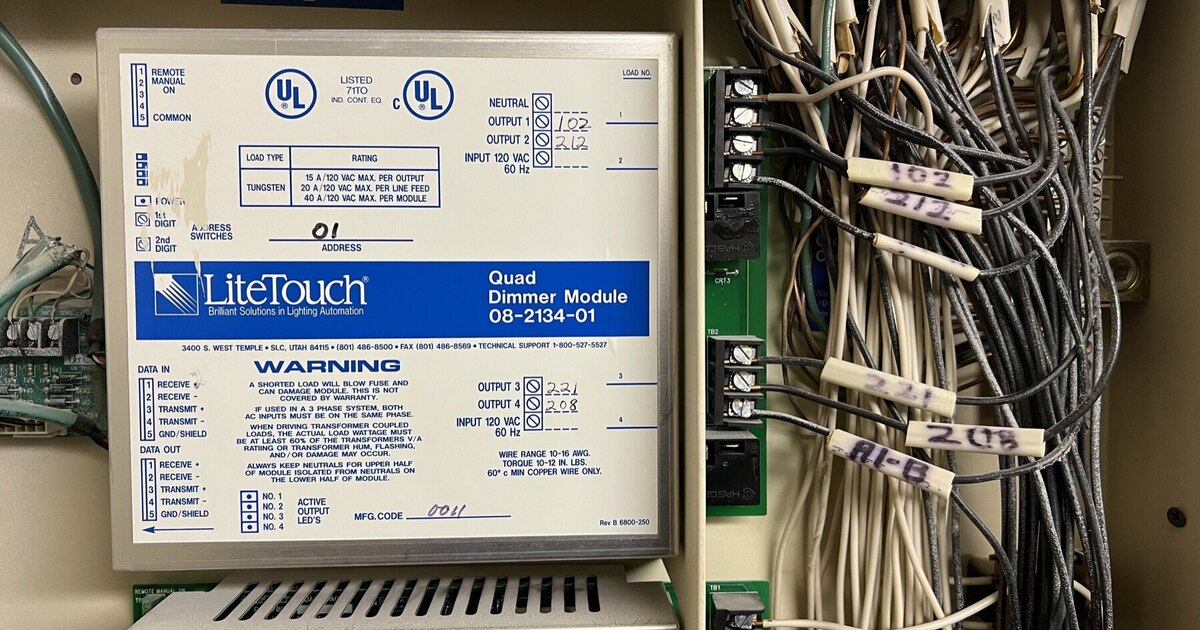
This is not a theoretical risk. It is happening in buildings across Houston and across the country right now. Buildings that ran LiteTouch or other legacy systems from the same era face nearly identical software dead-ends — and the resolution in every case is the same: platform replacement, not repair.
What Fails First: GRAFIK 5000/6000 Failure Modes
Understanding the failure sequence helps you prioritize:
- Keypads (GRX-CBP) — Typically the first failure point. Membrane switches wear, internal PCBs oxidize in humid climates. Houston’s summer humidity accelerates this significantly.
- RS-232 communication boards — The serial communication interface between the programming PC and the processor panel. When this board fails, the building can still operate on its last-programmed state but cannot be modified.
- Dimmer modules (GRX-3000) — Individual phase-cut or 0–10V dimmer boards fail. Partial zone loss is the result — some circuits go to full-on or full-off.
- Processor panel power supply — When this fails, the entire building loses programmed lighting control simultaneously. Emergency egress lighting on separate circuits still functions, but all scene control, scheduling, and automation stops.
- CSD link wiring — Polarity reversals, damaged cable from building renovations, or corroded terminations cause intermittent or total loss of a CSD segment.
A single processor panel failure in a GRAFIK 6000P can take down all 512 zones simultaneously. For a hotel, hospital wing, or university building, that is an unacceptable single point of failure.
Your Replacement Options
Option 1: Lutron Quantum or HomeWorks QSX Upgrade
Lutron’s own upgrade path moves you to Quantum (commercial) or HomeWorks QSX (high-end commercial/hospitality). This keeps you in the Lutron ecosystem and Lutron dealers are familiar with the transition.
The trade-offs: Quantum requires full re-engineering of every zone, new keypads, new processor hardware, and often new dimmer panels. Lutron’s software licensing model includes per-seat fees for integrators. Installed cost for a 512-zone building often exceeds $80,000–$150,000. There is no phased migration path — it is typically a full cutover.
Option 2: Third-Party Lighting Control (ETC, Crestron, AMX)
Theater and large-venue lighting companies like ETC Paradigm offer centralized systems with similar topology. Crestron and AMX offer hybrid lighting-and-AV-control systems.
The trade-offs: None of these systems natively integrate with HVAC, BACnet/Modbus BMS systems, access control, or energy metering in a unified environment without significant custom programming. Annual software maintenance contracts are common. Best suited for performance venues, not office or institutional buildings.
Option 3: LOXONE Building Automation
LOXONE is the option that best mirrors the GRAFIK centralized architecture while eliminating its limitations. For multi-floor commercial buildings, LOXONE is the practical choice.
Why LOXONE Is the Right Replacement for GRAFIK 5000/6000
Multi-Miniserver Architecture Mirrors GRAFIK’s Centralized Model
A GRAFIK 6000P’s 3 CSD links map naturally to a LOXONE multi-Miniserver deployment. Each Miniserver handles its own floor or zone cluster via LOXONE Tree (a two-wire daisy-chain wiring topology) and DALI Extensions for dimmer panel control. Multiple Miniservers peer over your existing building Ethernet, sharing a single unified programming environment with no additional license cost.
For a 512-zone building, 2–4 Miniservers is typical depending on zone density. Each Miniserver operates independently — if one Miniserver fails, only its zone cluster is affected, not the entire building. This eliminates the single-point-of-failure risk that makes the GRAFIK 6000P’s processor panel so consequential.
DALI/DMX Gateway for Your Existing Wiring Infrastructure
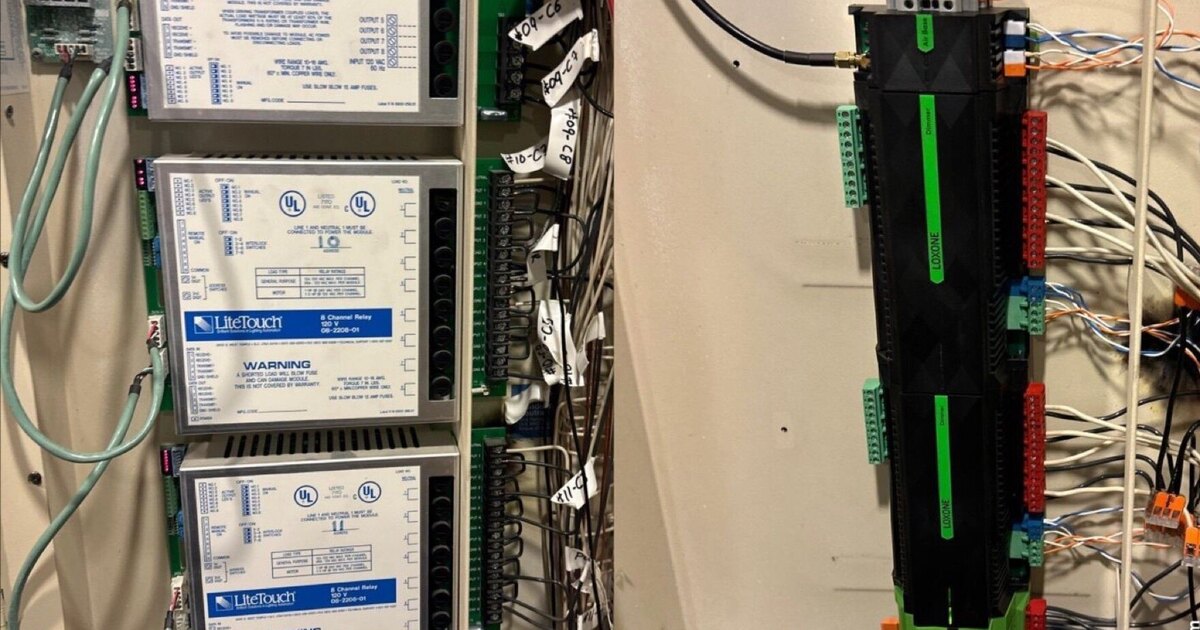
Your building’s conduit, junction boxes, and circuit home-runs are all reusable. The GRAFIK dimmer panels are replaced with LOXONE DALI Extensions wired to DALI-2 compatible LED drivers or dimmers — or, where circuits run to existing fluorescent or incandescent loads, to LOXONE’s own dimmer extension modules.
DALI (Digital Addressable Lighting Interface) is the international open standard for intelligent lighting control. Every major lighting manufacturer supports it. You are never locked to a single vendor for replacement fixtures or drivers.
Native BACnet and Modbus Integration
This is where LOXONE creates value the GRAFIK system never offered. LOXONE natively speaks Modbus RTU, Modbus TCP, BACnet/IP, and BACnet MS/TP — the four protocols that cover 90% of commercial HVAC controllers, energy meters, and building management systems.
Practically: your Honeywell, Siemens, Distech, or Johnson Controls HVAC system connects directly to LOXONE. You can create unified scenes that lower lighting and raise HVAC setpoints simultaneously when a conference room is unoccupied. You can tie exterior lighting to your access control system’s door events. None of this required custom programming to bolt together disparate systems — it is native LOXONE configuration.
No Per-Seat Licensing
LOXONE Config — the programming software — is free to download with no per-seat or annual fees. Every integrator, facilities technician, and property manager you authorize can have a copy. You can make your own changes. Your service contract with Grizzly Tec covers programming support, not software access.
Compare this to the Lutron ecosystem where integrator software access carries licensing fees that get passed to the building owner.
The Phased Floor-by-Floor Migration Strategy
This is what separates a GRAFIK 5000/6000 replacement from a residential lighting swap. An occupied 8-floor office building cannot go dark for a week. The phased strategy prevents that.
How It Works
Phase 1: Audit and Zone Mapping (no building impact)
We walk every floor, photograph every keypad, and label every CSD zone against actual fixture circuits. This produces a zone map that becomes the engineering document for the LOXONE design. For a GRAFIK 6000P building, the audit identifies which zones live on which CSD link — this determines the migration sequence.
Phase 2: Engineering and Design
We design the LOXONE topology: Miniserver count, Tree runs, DALI zone assignments, Touch Pure keypad placement to match existing gang box locations. Integration points with HVAC, access control, and security are scoped here.
Phase 3: Floor 1 Pilot (1 weekend)
We disconnect the CSD link serving Floor 1’s zones from the GRAFIK processor panel. Install Miniserver 1 and its DALI Extension in the electrical room. Commission and test all Floor 1 zones. Floors 2–N remain on the legacy GRAFIK system. If anything goes wrong on Floor 1, it is contained.
Phase 4: Cascade Migration (1 weekend per floor)
Repeat the floor pilot for each subsequent floor. The building owner controls the schedule — migration can happen quarterly to fit capital budgets, or monthly to complete faster. Each floor migrated reduces risk on the legacy system.
Phase 5: Processor Decommission
Once all floors are on LOXONE, the GRAFIK processor panel is powered down and removed. The RS-232 programming PC goes with it. Building operations are fully on the new system.
What to Tell Your CFO
The capital case for replacement is straightforward:
- Avoided emergency cost — A GRAFIK processor panel failure during a weekday is a building-wide disruption. Emergency integrator response, temporary workarounds, and tenant relations cost significantly more than planned replacement
- Energy savings — LOXONE occupancy-based dimming and HVAC integration typically reduces lighting and HVAC energy consumption 20–35% compared to systems running on fixed schedules
- Maintenance reduction — No more sourcing aftermarket Lutron parts. LOXONE hardware is actively manufactured and available
- No licensing escalation — LOXONE carries no recurring software cost. The Lutron ecosystem has historically included integrator software licensing that gets passed through in service contracts
Frequently Asked Questions
Can we replace the GRAFIK Eye 5000/6000 one floor at a time without shutting down the whole building?
Yes. Each CSD link on the processor panel serves a discrete set of zones. A floor-by-floor migration disconnects one CSD segment at a time, installs a LOXONE Miniserver and DALI Extension for that floor, and leaves all other floors on the legacy system. No full-building outage is required.
The programming PC died. Can we still reprogram the GRAFIK system?
Effectively no. The programming software requires Windows 98 or XP. Lutron’s VMware workaround PCs are discontinued. Without a functioning legacy programming environment, you can operate on the last-saved configuration but cannot add zones, change scenes, or update schedules. This is the inflection point at which most facilities accelerate replacement.
Does LOXONE charge per-seat licensing fees?
No. LOXONE Config is free with no per-seat or annual fees. Every technician you authorize gets full access.
How does LOXONE handle 512 zones across 10 floors?
Multiple Miniservers peer over your existing building Ethernet. A 512-zone building typically uses 2–4 Miniservers depending on zone density. Each operates independently — a single Miniserver failure affects only its zone cluster, not the whole building.
Can LOXONE integrate with our HVAC, BMS, or access control?
Yes. LOXONE supports Modbus RTU/TCP and BACnet/IP natively, covering most commercial HVAC controllers. DALI, DMX, KNX, and Wiegand access control are also supported natively. Most buildings achieve a single unified control environment that the GRAFIK system could never provide.
What happens to our existing dimmer panels and building wiring?
The Lutron GRX-3000 and GRX-TDI dimmer panels are replaced with LOXONE DALI Extension modules paired to DALI-2 compatible drivers. Conduit, circuit home-runs, and junction boxes are reused. Your electrical contractor does minimal new rough-in.
We’re a hospital or university. What is the realistic downtime per floor?
Properly planned, a single floor switchover takes 4–8 hours of controlled cutover, typically scheduled on a weekend or overnight. Lighting in unaffected zones remains fully operational throughout. A detailed floor-by-floor schedule is delivered before any work begins.
What does LOXONE cost compared to upgrading to Lutron Quantum?
Lutron Quantum upgrades for a 512-zone building typically run $80,000–$150,000 installed, plus ongoing software licensing. LOXONE for the same building typically runs $25,000–$65,000 installed with no recurring license fees. The cost differential widens over a 5–10 year horizon when licensing is factored in.
Ready to Assess Your GRAFIK System?
Grizzly Tec has been a LOXONE Partner since 2015 (Platinum today) and has assessed and replaced centralized lighting control systems in commercial buildings throughout the Houston area. For a broader look at what smart home and building automation in Houston looks like in 2026 — including costs, timelines, and what to expect — see our Houston automation guide. We carry Texas security license #B-29733501.
If your GRAFIK 5000P or 6000P is showing its age — intermittent keypads, failing dimmer modules, a programming PC you’re afraid to reboot — the right time to plan the replacement is before the processor panel forces the decision for you.
Book a free 15-minute call to talk through your building and a phased migration plan. No obligation.
Related Reading
Ready to discuss your smart home project?
Book a free consultation — we'll discuss your goals and outline options.
Book a Free ConsultationShare this article

Founder & Mechatronics Engineer
Daniel Lopez founded Grizzly Tec in 2012 and has designed and installed 1,000+ projects (audio, video, networking, security and automation), including 50+ LOXONE projects. A mechatronics engineer by training, he holds a Texas security license (B-29733501) and has been a LOXONE Partner since 2015 and a Platinum Partner today.