MFS Error on a Touché Panel: What We Found Inside a Failing System
Page 1 of 10 on the Touché panel: 4.1 MFS Error. 4.2 MFS Error. 4.3 MFS Error.
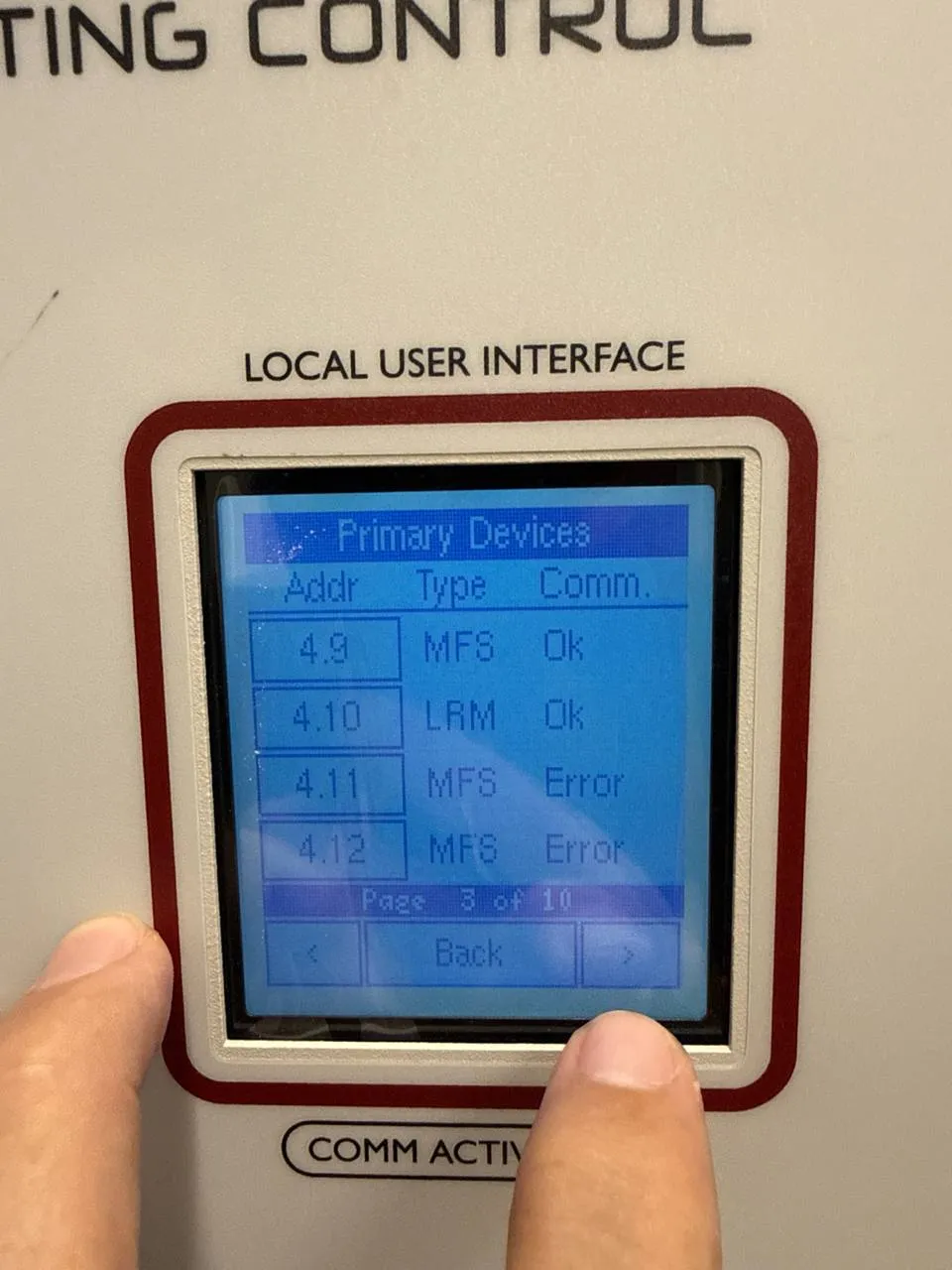
The facility team reached out to us about 3 wall switches that stopped working in their building. When we went through the “Primary Devices” list on the panels, we counted at least 11 dead screens. We haven’t checked one of the panels yet, so the real number could be higher.
If you have Touché in your building, this is probably your future too. Touché went into Chapter 7 liquidation in March 2025. No support, no warranty, no new parts.
What you are looking at on that panel
The box with the screen that says “Local User Interface” is the Touché Master Interface. In this building there are 4 of them, each in a different electrical room, and every device is numbered by the master that controls it. Device 2.6 belongs to master 2, device 4.13 to master 4.
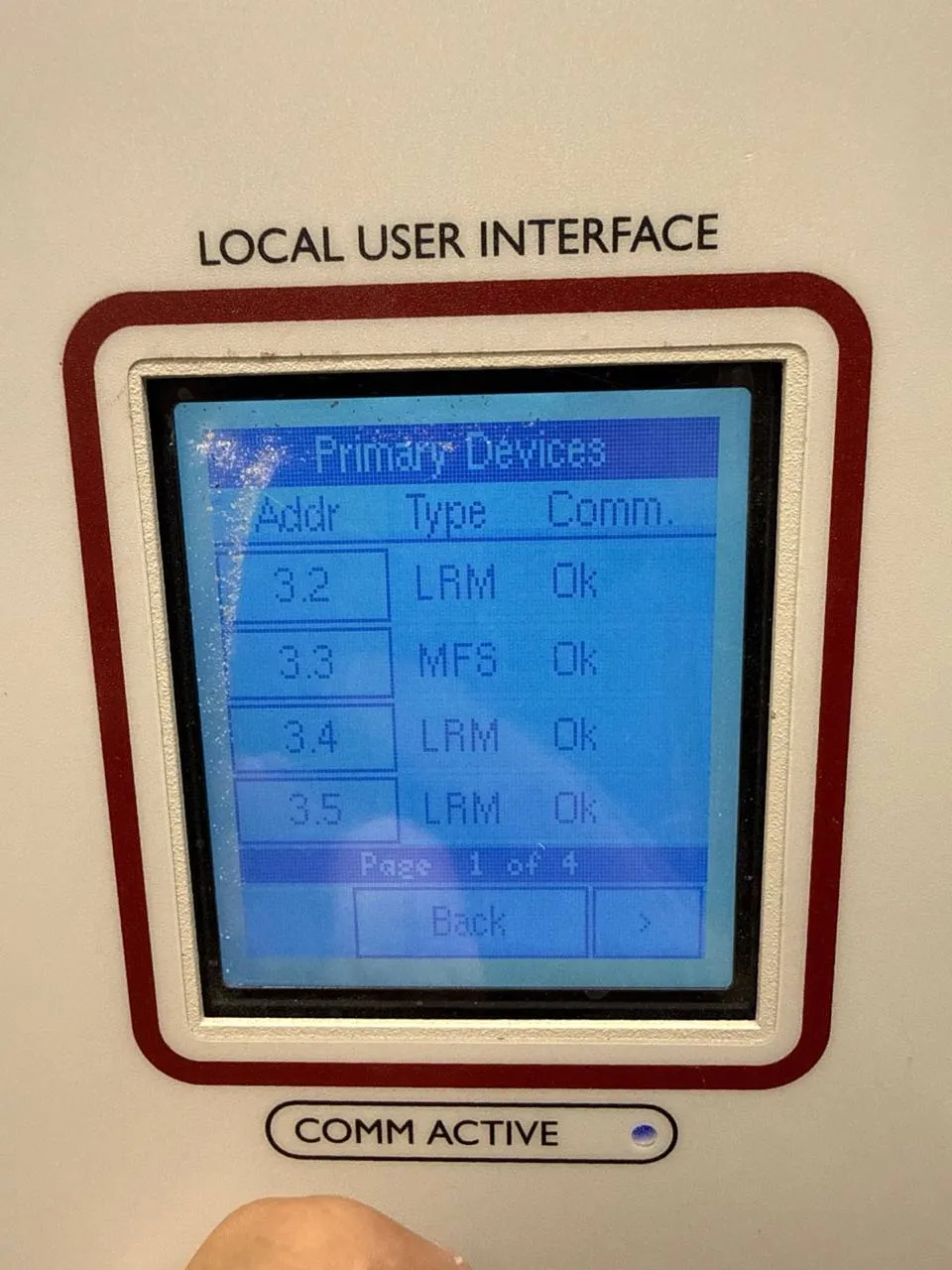
The list shows 2 kinds of devices:
- MFS is the Multi-Function Switch. That is the SW-TS-M touchscreen on the wall, the one with High, Medium and Low.
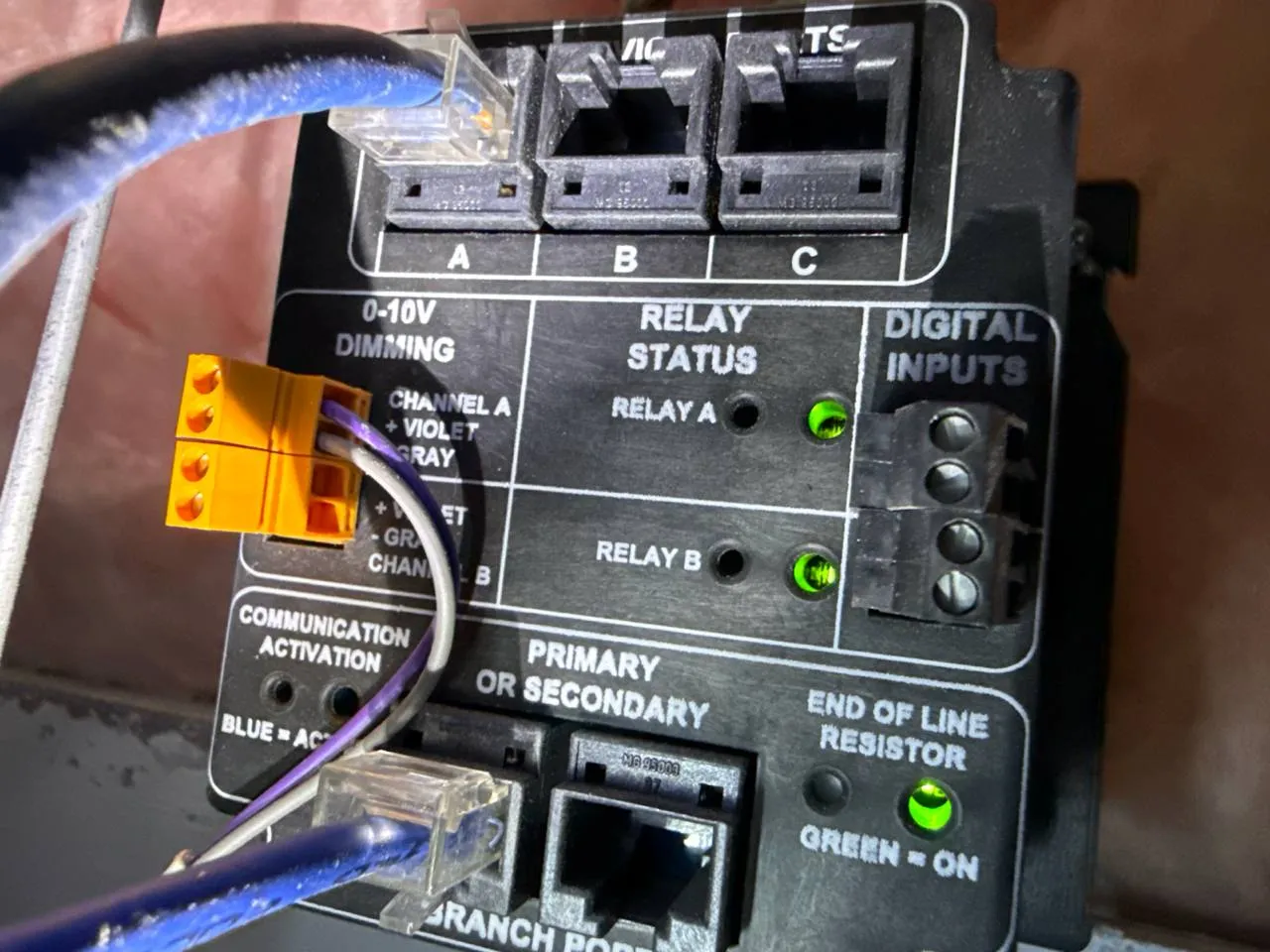
- LRM is the Local Relay Module above the ceiling. The ones we found are LRM-2P-120/347-0/10, with 2 relays and 2 channels of 0-10V dimming. This is what actually switches and dims the lights.
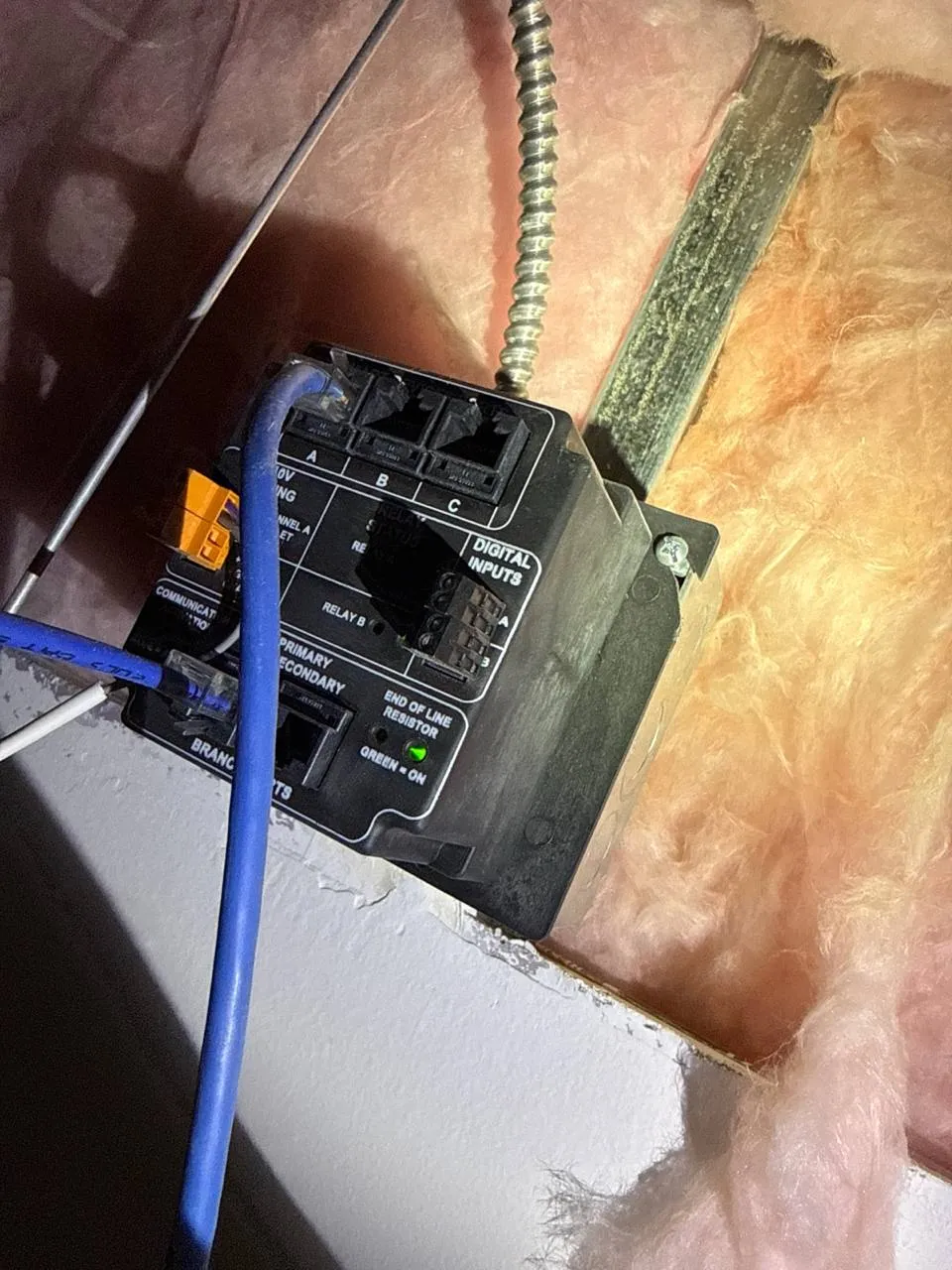
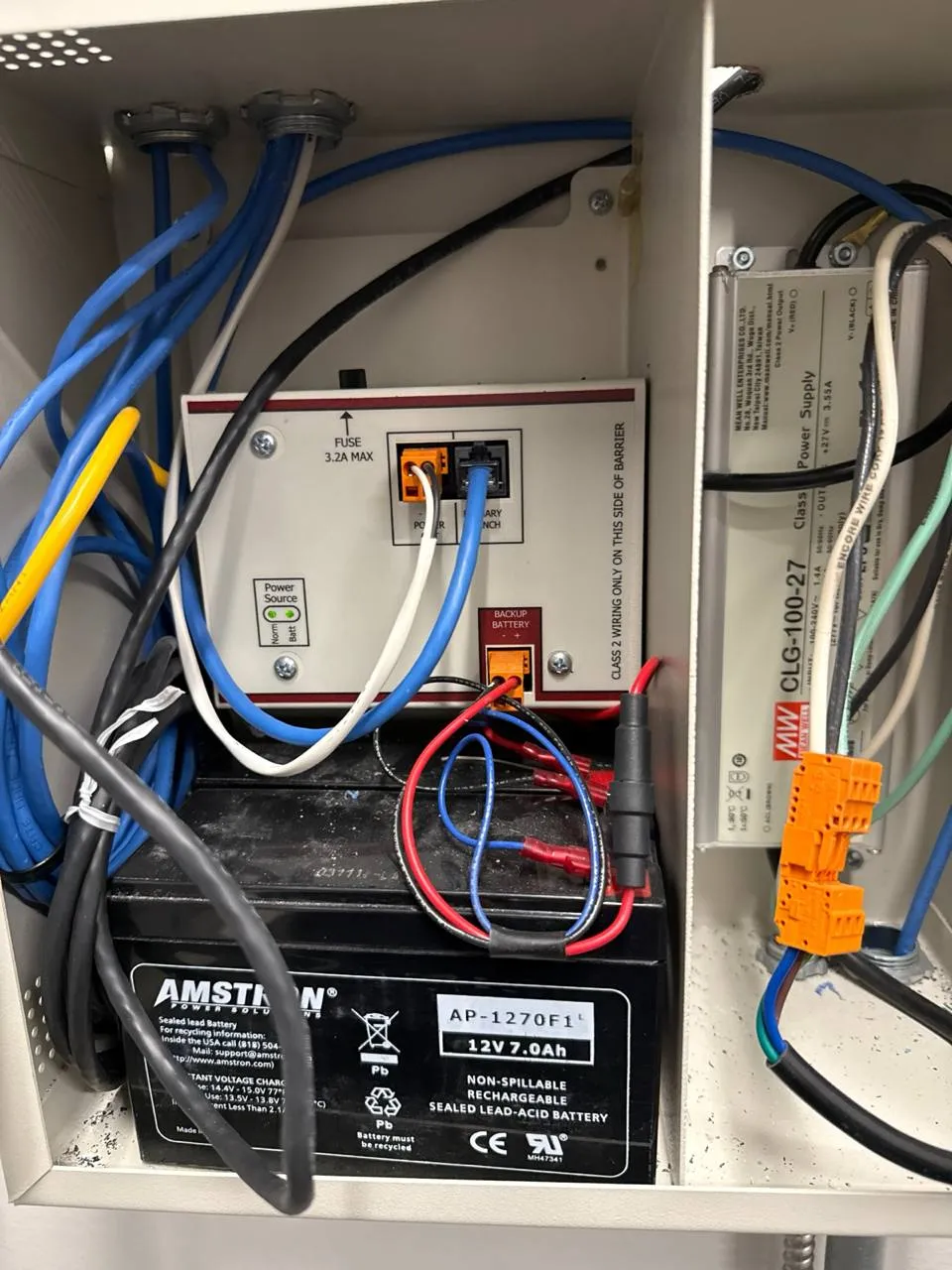
Everything runs on CAT5 in a daisy chain. We also found a Mean Well CLG-100-27 power supply (27V), which matches the 27.4V the panel reports on the devices.
The screens die, the relays don’t
This was the most interesting part. On one master we counted 39 devices: 21 screens and 18 relay modules. 8 screens in error. All 18 relay modules “Ok”.
On a dead screen, the panel showed Local Voltage 27.4V and the screen itself was still lit. So power was getting there. What is not getting through is the data. Relink and Refresh on the panel did nothing.
All 8 failures on that master are between addresses 4.1 and 4.15. From 4.20 up, every screen works. We don’t know yet if that is the same cable branch, the same area of the building or the same production lot. We are still checking.
We decided not to troubleshoot further. Even if we found the cause, there is no new Touché screen to put on the wall, and the next one is going to fail anyway.
What the facility did in the meantime
In one room the lights were wired straight to the circuit, on 24/7. That is what happens when a switch dies and there are no parts. It works, but you lose the automatic shut-off and the energy savings.
Why spare parts are not the answer
Even if you find a Touché screen somewhere, you can’t program it. Touché devices were set up with Touché’s own programming app, and with the company liquidated there is no one supporting it. A new screen on the wall that the system doesn’t recognize is just a piece of plastic.
Your 2 real options
- Rip out the whole system at once. Expensive, and the building is dark or half working while you do it.
- Replace it zone by zone with Loxone. This is what we recommend.
How we plan to replace Touché zone by zone with Loxone
The good news from this building is that each zone is fairly independent. For the lights, the relay module above the ceiling does 2 things: it switches the 277V circuit and it sends a 0-10V signal to the drivers. Loxone can do both.
For each failing zone:
- New cable from a Loxone panel to the zone. We don’t reuse the Touché CAT5 because it is daisy chained with the rest of the system.
- A 277V relay in a DIN rail enclosure, driven by Loxone, and a Loxone 0-10V output for dimming.
- A Loxone touch switch on the wall, with the same High, Medium and Low the staff already knows.
- Loxone presence sensors instead of the old ones, so the whole zone is one system.
The rest of the Touché system keeps running while we do it. When the next zone fails, or when there is budget, we move the next zone. In the end the building is on one system that is not tied to a company that went out of business.
We do the low voltage, the programming and the commissioning. All 277V work is done by a licensed electrician. Here it will be the electrical contractor that already maintains the building.
What we still have to confirm
Every building is different, so before we quote we check:
- How many LED drivers are on each 0-10V channel. It changes how many Loxone outputs a zone needs.
- If the lighting is connected to a building management system. Loxone talks BACnet, but we need to know what that system reads and controls today.
- Emergency lighting. In this building’s drawings it runs through a separate emergency lighting control unit (UL924), and that stays as it is.
If you want the bigger picture first, our Touché replacement guide covers what happened to the company and how a full migration works.
If your panel shows MFS Error
Go to the Local User Interface, open Primary Devices and take a photo of every page. Send them to us with the model on the back of one wall screen. With that we can tell you how many devices you have, what is failing, and where to start.
Ready to discuss your smart home project?
Book a free consultation — we'll discuss your goals and outline options.
Book a Free ConsultationShare this article

Founder & Mechatronics Engineer
Daniel Lopez founded Grizzly Tec in 2012 and has designed and installed 1,000+ projects (audio, video, networking, security and automation), including 50+ LOXONE projects. A mechatronics engineer by training, he holds a Texas security license (B-29733501) and has been a LOXONE Partner since 2015 and a Platinum Partner today.